

Team API tokens
Use Team API tokens to manage team resources through the Team API. Grant each token only the abilities that its integration needs.
Overview
Team API tokens provide programmatic access to your Lettermint team resources at the team level. Unlike Project API tokens which are scoped to individual projects, Team API tokens can access multiple resources across your entire team based on their configured abilities.
Team API tokens are different from Project API tokens. Project API tokens (format: lm_xxx...) are used for sending emails, while Team API tokens provide broader access to manage team resources via the API.
Creating team API tokens
Team API tokens are managed through explicit role permissions. A member needs Manage team API tokens to create or edit tokens.
Steps to create a token
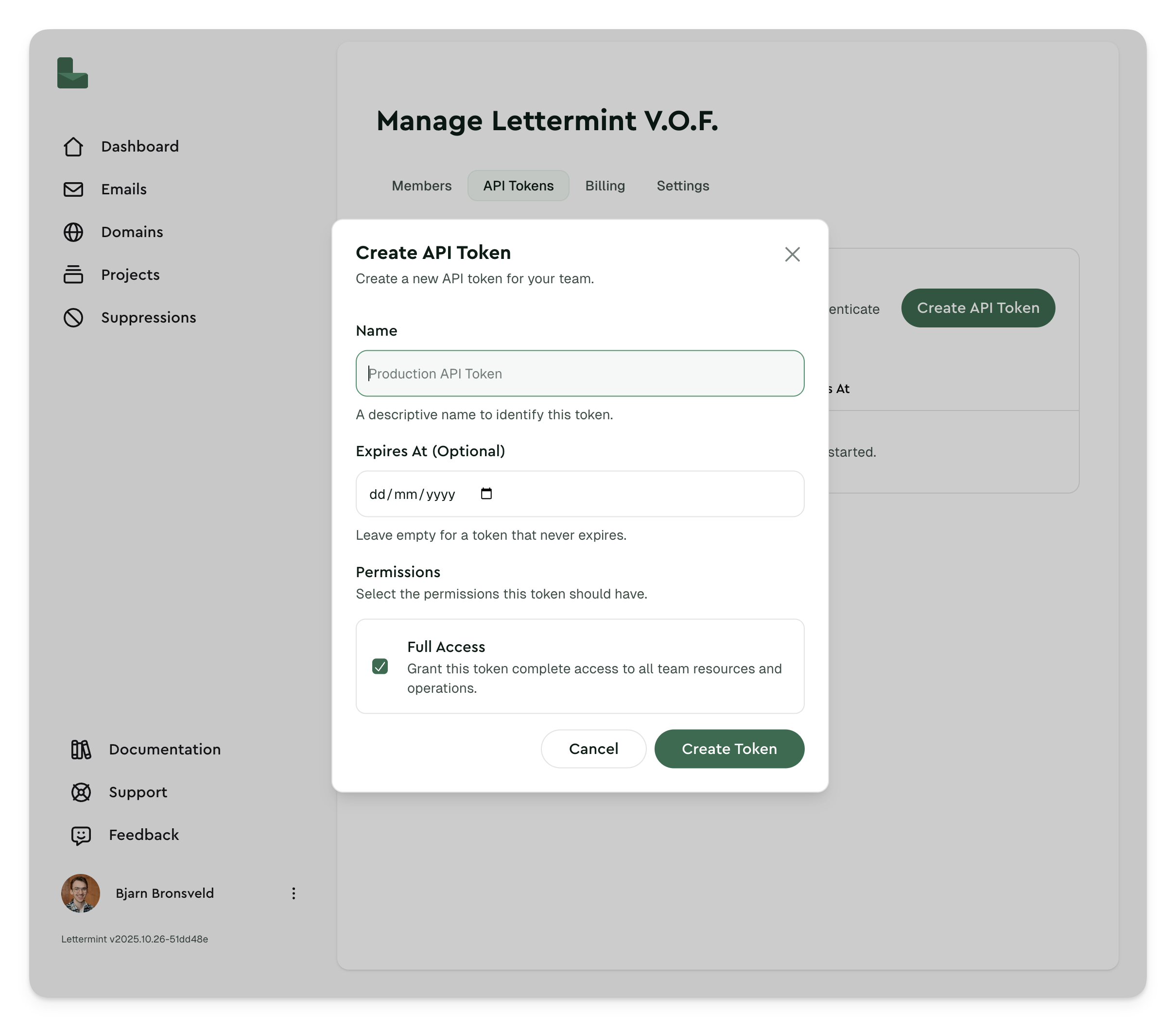
- Navigate to Manage team in your dashboard
- Go to the API Tokens tab
- Click the Create token button
- Enter a descriptive name for your token (e.g., "CI/CD Pipeline", "Analytics Integration")
- Select the abilities you want to grant to this token
- Click Create to generate your token
After creating a token, make sure to copy it immediately. For security reasons, you won't be able to see the full token again. Store it securely in your environment variables or secrets manager.
Managing team API tokens
Viewing your tokens
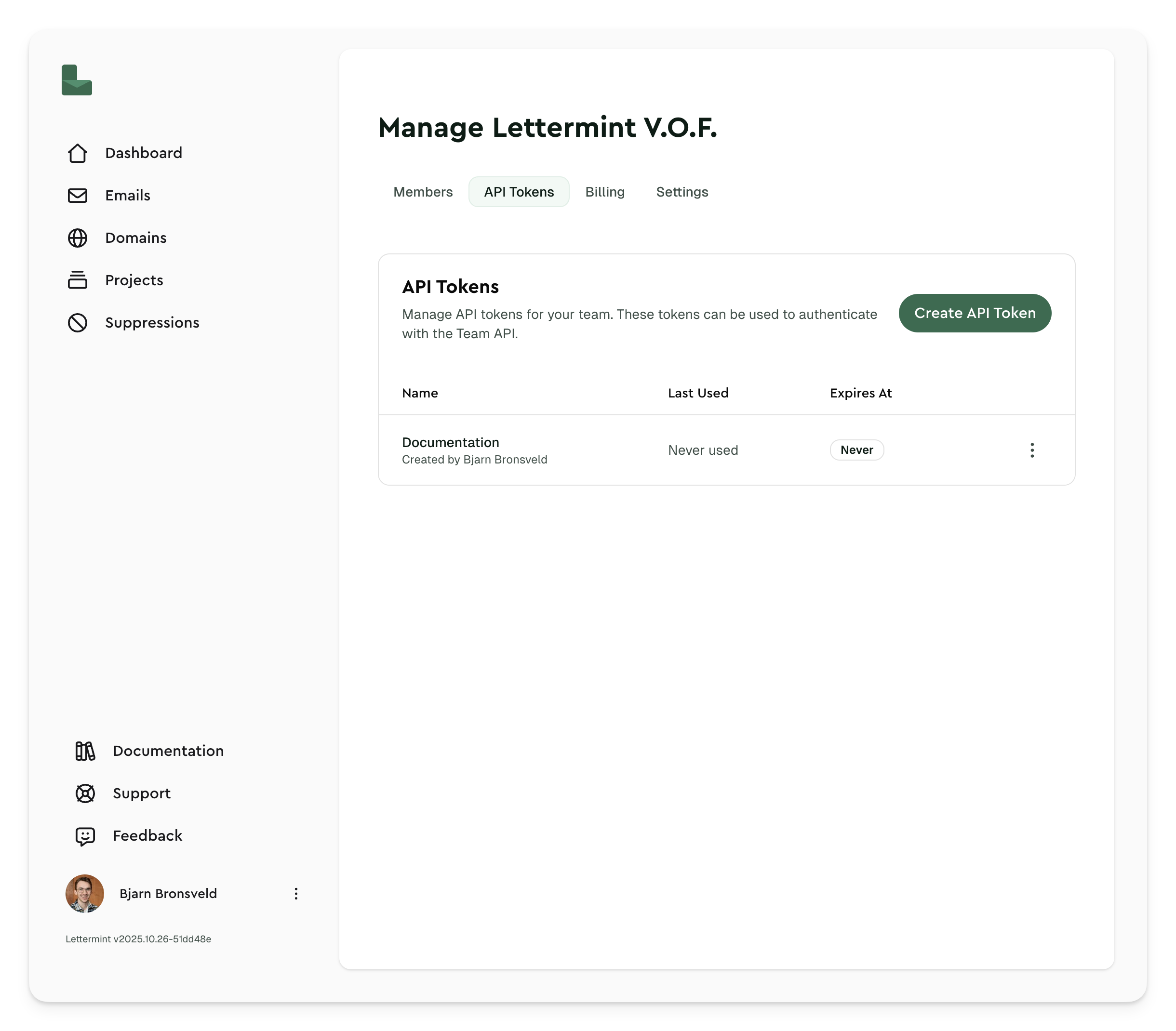
All active team API tokens are listed in the API Tokens tab under Manage team. Each token displays:
- Name: The descriptive name you provided
- Restriction: Whether the token has an IP allowlist
- Last changed: When and who created or rotated the token
- Last used: When the token was last used to make an API request
- Last IP: The last IP address which used the token
Regenerating tokens
If you suspect a token has been compromised, you can regenerate it:
- Click the 3-dots menu next to the token
- Select Regenerate
- Confirm the regeneration
- Copy your new token immediately
Regenerating a token will immediately invalidate the old token. Any integrations using the old token will stop working until you update them with the new token.
Revoking tokens
To remove a token you no longer need:
- Click the 3-dots menu next to the token
- Select Revoke
- Confirm the deletion
The token will be immediately revoked and can no longer be used to access your team.
See Handle API tokens securely for planned rotation and exposed-token response steps.
Restrict a token by IP address
Use an IP allowlist when an automation or integration calls the Team API from stable outbound IP addresses. Open the token actions menu, choose Edit, and add entries under Allowed IP addresses and CIDR ranges.
You can add IPv4 addresses, IPv6 addresses, and CIDR ranges:
203.0.113.10203.0.113.0/242001:db8::/32
Leave the list empty for No restriction. A token with no restriction can be used from any IP address.
IP allowlists apply to Team API requests authenticated with Authorization: Bearer. Requests from outside the allowlist fail with an authentication error and appear in the token logs.
Token abilities
Team API tokens use abilities to control access. Select only the abilities that the integration needs.
Read vs write scopes
Abilities are organized into read and write scopes:
Read abilities allow tokens to:
- View team information and settings
- List team members
- View projects, routes, and domains
- Access message data and statistics
- View webhooks and suppression lists
Write abilities allow tokens to:
- Update team settings
- Create, update, and delete projects
- Assign non-Owner roles and project access when explicitly enabled by an Owner
- Manage domains and DNS records
- Create and configure routes
- Manage webhooks
- Add or remove suppression list entries
Write abilities do not automatically grant read abilities. Select each ability the integration needs.
Available abilities
The following abilities can be granted to team API tokens:
| Ability | Scope | Description |
|---|---|---|
* | Full access | Full access to all Team API resources. Avoid unless an integration truly needs every ability. |
read:team | Read | View team information and settings |
write:team | Write | Update team settings |
read:members | Read | View team members and their roles |
write:member_assignments | Sensitive | Assign non-Owner roles and project access. Requires read:members and explicit Owner approval. |
read:projects | Read | List and view all team projects |
write:projects | Write | Create, update, and delete projects |
read:routes | Read | View email routes |
write:routes | Write | Create, update, and delete routes |
read:domains | Read | View team domains |
write:domains | Write | Add, update, and delete domains |
read:messages | Read | View message data and delivery statistics |
write:messages | Write | Reserved for future message write operations |
read:webhooks | Read | View webhook configurations |
write:webhooks | Write | Create, update, and delete webhooks |
read:suppressions | Read | View suppression lists |
write:suppressions | Write | Add or remove email addresses from suppression lists |
You can select multiple abilities when creating a token. Choose only the abilities your integration needs to follow the principle of least privilege. If a workflow lists resources before updating them, grant both the relevant read and write abilities.
write:member_assignments can change another member's effective access. Only an Owner can add it to a token. It is never implied by *; a full-access assignment integration needs both * and write:member_assignments.
Using team API tokens
Store the token in LETTERMINT_TEAM_TOKEN. Official SDKs read this value when they initialize the Team API client. The Team API quickstart provides complete examples for all official SDKs and cURL.
To automate roles and project access, see Manage member access with the Team API.
Best practices
Security recommendations
- Never commit tokens to version control: Store tokens in environment variables or secrets managers
- Use descriptive names: Name tokens based on their purpose (e.g., "Production CI/CD", "Monitoring Dashboard")
- Grant minimal abilities: Only give tokens the explicit read and write abilities they need to function
- Restrict stable integrations by IP address: Add an IP allowlist for long-lived automation tokens that use known outbound IPs
- Rotate tokens regularly: Regenerate tokens periodically, especially for long-running integrations
- Delete unused tokens: Remove tokens that are no longer needed
- Monitor token usage: Check the "Last used" timestamp to identify inactive or potentially compromised tokens
Token management tips
- One token per integration: Create separate tokens for each service or integration
- Document token usage: Keep a record of which tokens are used where
- Set up alerting: Monitor failed authentication attempts in your logs
Team API tokens have broad access to your team resources. Treat them with the same care as passwords and never expose them in client-side code or public repositories.
For secure storage, planned rotation, and leak response, see Handle API tokens securely.
Permissions required
Dashboard access to Team API tokens is controlled separately from the abilities granted to each token:
| Action | Role permission |
|---|---|
| List and inspect tokens | View team API tokens |
| Create or edit tokens | Manage team API tokens |
| Regenerate tokens | Rotate team API tokens |
| Revoke tokens | Revoke team API tokens |
These are team-wide permissions. They are not restricted by a member's project access, and they are not included in the Member system role. Grant only the actions a member needs.
See Roles for role permissions and delegation rules.