

Webhook signatures
Verify each webhook signature before you process its payload. This confirms that Lettermint created the request and that the payload did not change in transit.
Why verify signatures?
Without signature verification, anyone who discovers your webhook URL can send fake events to your endpoint. An attacker could:
- Trigger false payment confirmations to fulfill orders that were never paid
- Forge delivery events to mark messages as sent when they weren't
- Inject malicious data into your systems through crafted payloads
- Cause your application to take actions based on events that never occurred
Always verify signatures in production before a handler changes application state.
How it works
Each webhook delivery includes a cryptographic signature in the X-Lettermint-Signature header. The signature is computed using HMAC-SHA256 with your webhook's secret and contains:
- A timestamp to prevent replay attacks
- A hash of the exact payload we sent
You recompute the same signature on your side and compare. If they match, the webhook is authentic.
Headers
Every webhook delivery includes these HTTP headers:
| Header | Description |
|---|---|
| X-Lettermint-Signature | Signature in format t={timestamp},v1={hmac_hex} |
| X-Lettermint-Event | Event type (e.g., message.delivered, message.auto_replied) |
| X-Lettermint-Delivery | Delivery timestamp (Unix seconds) |
| X-Lettermint-Attempt | Retry attempt number (1, 2, 3...) |
Signature scheme
The signature format follows the Stripe/Svix convention:
Code
Where:
t= Unix timestamp (seconds) when signature was generatedv1= HMAC-SHA256 hex digest
Signed payload format
We compute the signature over this exact string:
Code
The JSON body is serialized with JSON_UNESCAPED_SLASHES and JSON_UNESCAPED_UNICODE flags. You must use the raw request body bytes, not a re-serialized version.
Computing the signature
Code
Use your webhook secret as-is, including the whsec_ prefix. Do not strip or decode it.
Replay protection
Reject webhooks with stale timestamps to prevent replay attacks. We recommend a 5-minute tolerance window:
- Parse the
tvalue fromX-Lettermint-Signature - Compare with current time:
|now - t| <= 300seconds - Reject if outside the window
This prevents attackers from capturing and re-sending old webhook payloads.
Implementation examples
Use the "Test Webhook" button in your dashboard to send a test event and verify your signature validation works correctly.
Verification steps
The signature verification process follows these steps:
- Extract the
X-Lettermint-Signatureheader and parset(timestamp) andv1(signature hash) - Validate timestamp is within 5 minutes of current time to prevent replay attacks
- Get raw body as the exact bytes received (not re-serialized JSON)
- Compute signature using HMAC-SHA256 over
{timestamp}.{rawBody}with your secret - Compare using timing-safe equality to prevent timing attacks
See the implementation examples above for complete, copy-paste code in your language.
Finding your webhook secret
- Go to Dashboard → Webhooks.
- Click on your webhook
- Copy the secret (starts with
whsec_) - Store it securely in your environment variables
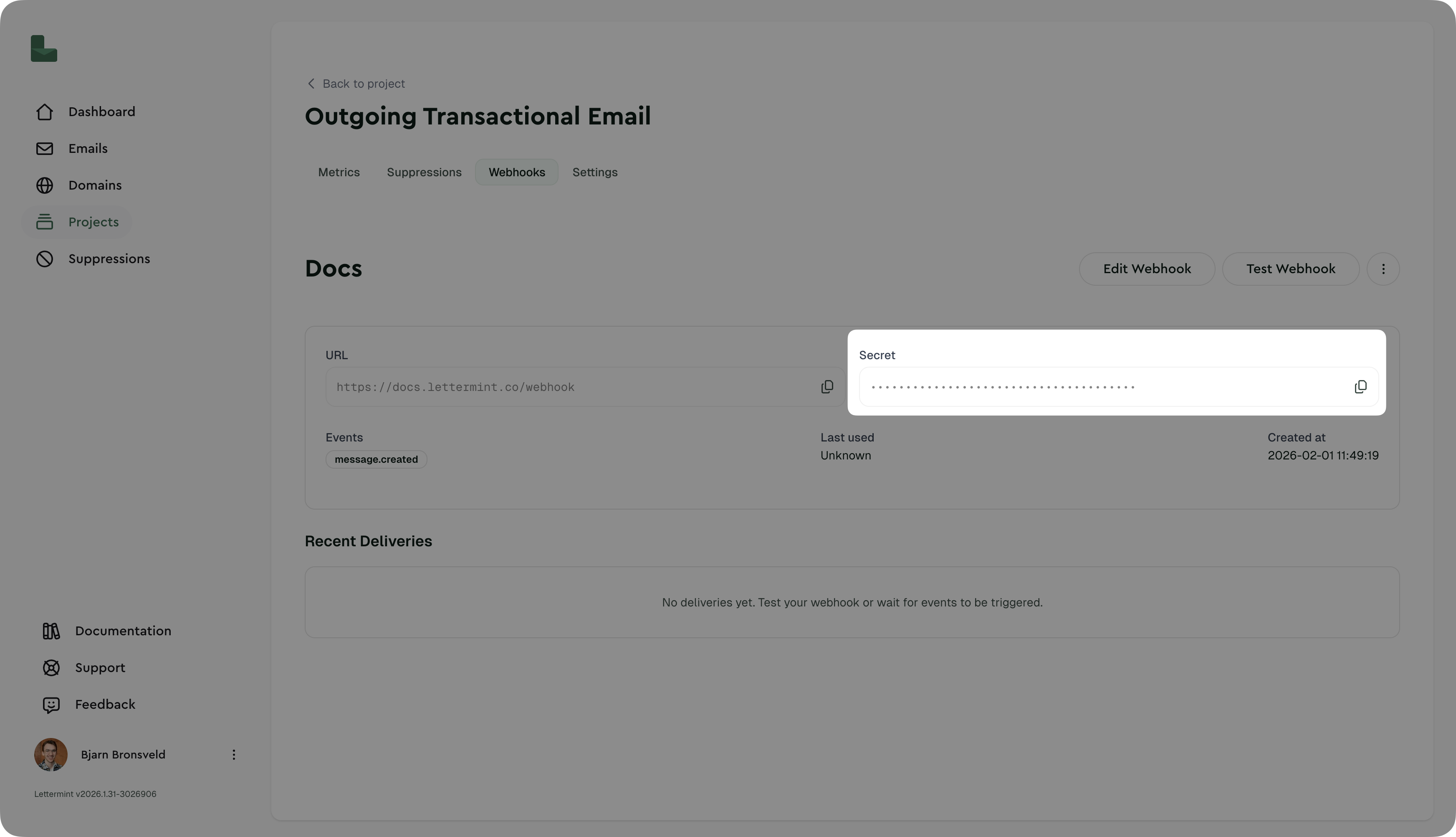
You can change the secret at any time. This action makes the old secret invalid immediately. A target change does not change the secret.
Never commit webhook secrets to version control. Use environment variables or a secrets manager.
Testing signature verification
Manual test with curl
Code
Using the dashboard
The "Test Webhook" button sends a real, properly-signed webhook to your endpoint. This is the easiest way to verify your implementation.
Production recommendations
Security
- Always verify signatures in production environments
- Use HTTPS endpoints - Lettermint only delivers to HTTPS URLs
- Rotate secrets periodically (e.g., every 90 days)
- Monitor failed deliveries in the dashboard for potential attacks
Performance
- Verify then queue - Return 200 immediately after verification, process async
- Set reasonable timeout - Your endpoint should respond within 30 seconds
- Implement idempotency - Use
event.idto prevent processing duplicates
Error handling
- Return 401 for signature verification failures
- Return 200-299 for successful processing
- Return 500-599 for temporary errors (we'll retry)
Failed deliveries are automatically retried with exponential backoff. See Introduction for the retry schedule.
Troubleshooting
"Invalid signature" errors
Problem: Signature verification always fails
Solutions:
- Verify you're using the raw request body, not re-serialized JSON
- Check that your secret includes the
whsec_prefix - Ensure body parsing middleware preserves raw body (see Express example)
- Confirm timestamp is being parsed as an integer, not string
Timestamp too old warnings
Problem: "Timestamp too old or too new" errors
Solutions:
- Check your server's system clock is synchronized (use NTP)
- Increase tolerance to 600 seconds (10 minutes) if clock drift is unavoidable
- Verify you're parsing the
tparameter correctly as Unix seconds
Works in test but fails in production
Problem: Test webhook works, but real events fail
Solutions:
- Confirm production environment has correct
LETTERMINT_WEBHOOK_SECRET - Check production logging to see the actual signature format received
- Verify production isn't modifying request body (compression, proxies, etc.)
Next steps
- Webhook events: See all available event types
- Introduction: Learn about webhook delivery and retries
- SDK documentation: Use our official SDKs with built-in verification