

Webhooks
Use webhooks to receive an HTTP POST request when a Lettermint event occurs. A webhook removes the need to poll the Team API for delivery updates.
When to use webhooks
| Approach | How it works | Best for |
|---|---|---|
| Polling | Your server requests updates on a schedule. | Scheduled reports and occasional checks. |
| Webhooks | Lettermint sends each selected event to your endpoint. | Delivery handlers and event-driven workflows. |
If your system processes bounce or complaint emails, use bounce and complaint forwarding. You can use forwarding and webhooks together.
Common use cases:
- Bounce handling: Remove invalid addresses from a mailing list.
- Delivery confirmation: Update your database after delivery.
- Engagement tracking: Start a workflow after a supported open or click.
- Complaint management: Stop email to recipients who report spam.
- Suppression synchronization: Copy suppression changes to another system.
Quick start
1. Create a webhook in the dashboard
- Go to Dashboard → Webhooks.
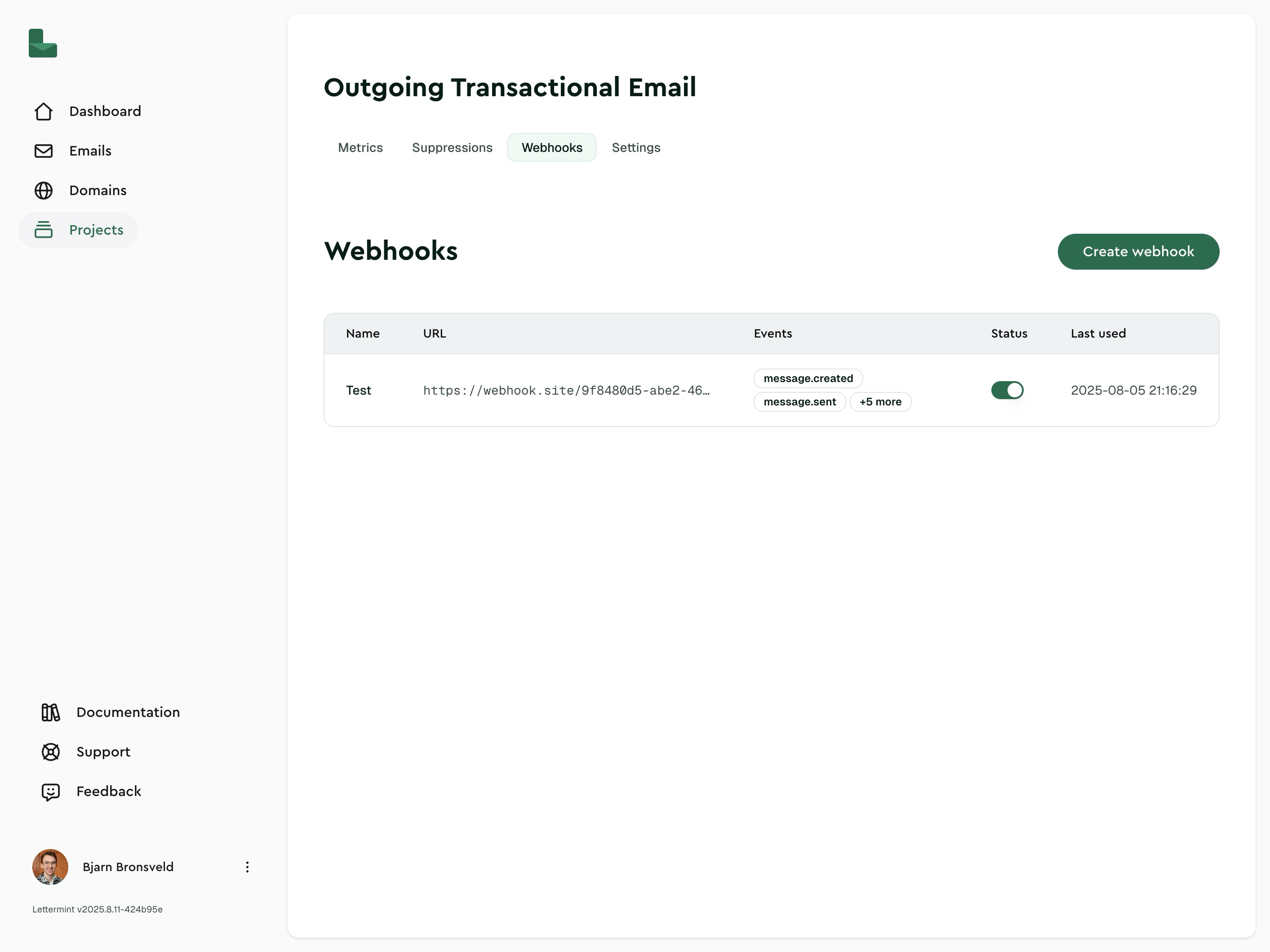
- Click Create webhook
-
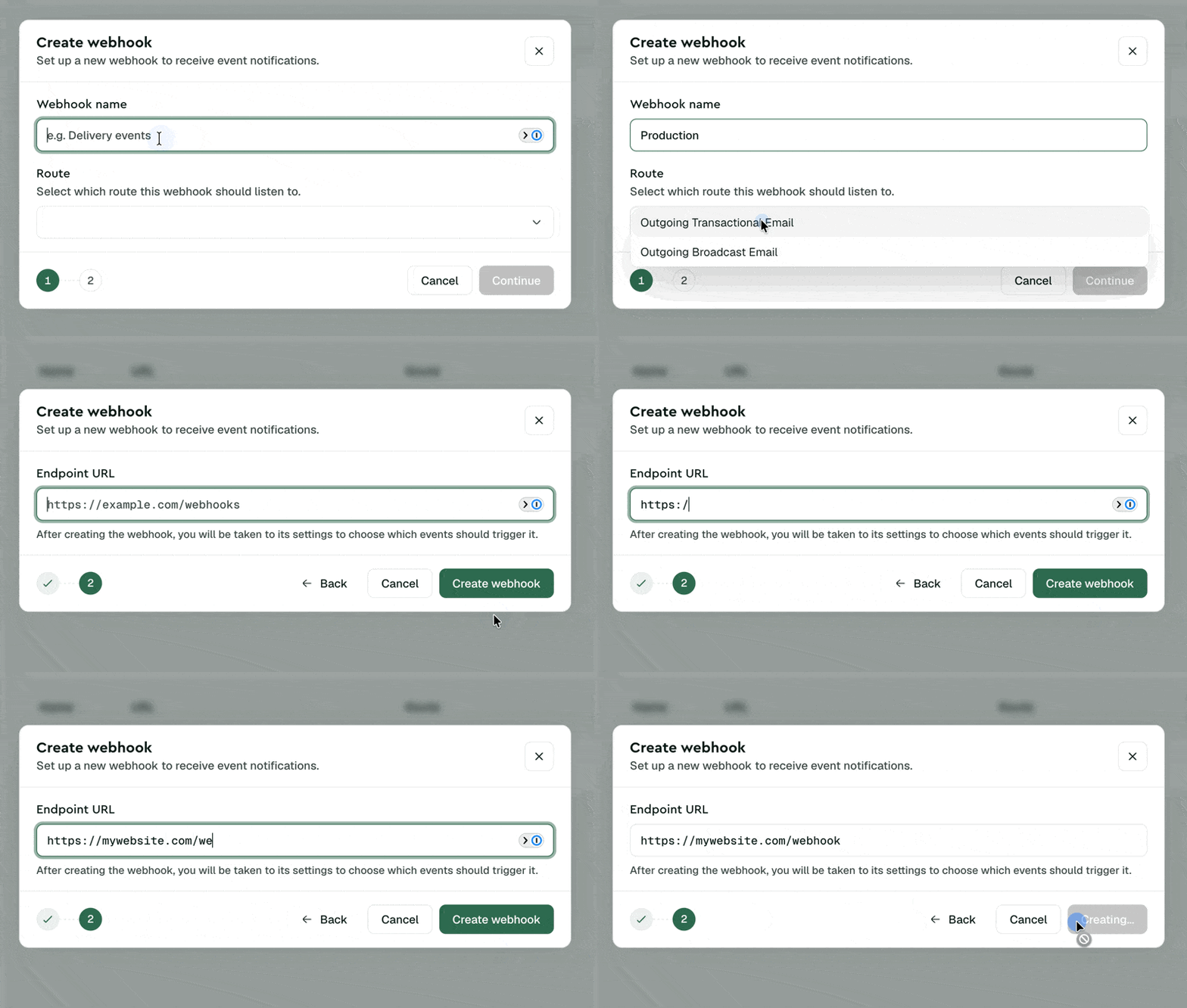
Enter your webhook details:
- Name: e.g., "Production Events"
- URL: your HTTPS endpoint (e.g.,
https://api.example.com/webhooks/lettermint) - Scope: select all projects, one or more projects, or one or more routes
- Events: select the event types you want to receive
- Include machine events: off by default; enable it only if you want security scanner, preview, and generic bot tracking observations. Supported privacy opens do not need this option.
- Enabled: keep on to start receiving events
-
Save. Your webhook is now active.
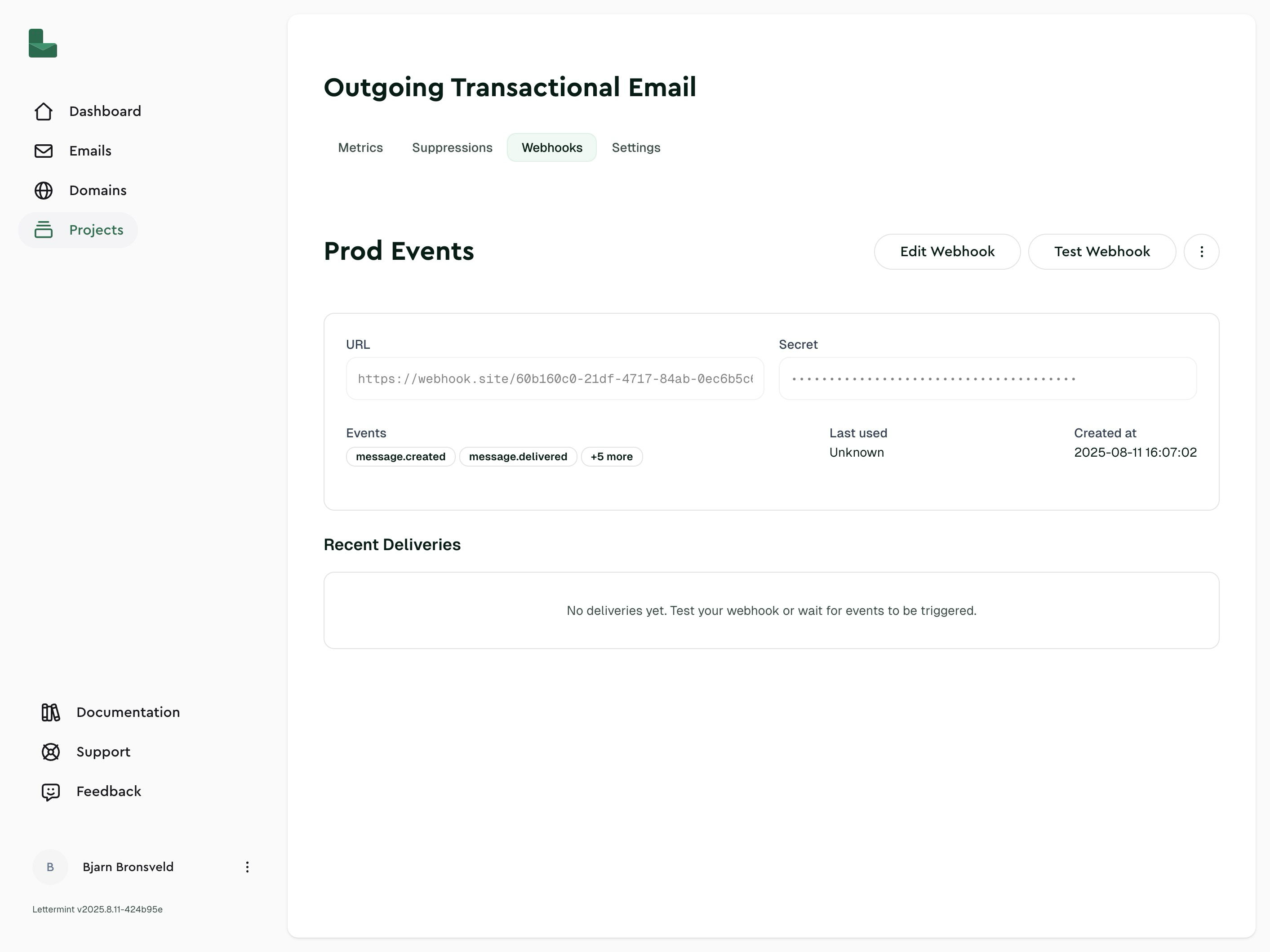
2. Send a test delivery
From the webhook details page, click Test Webhook. You should receive a payload like this:
Code
You can use three webhook scopes:
- Team: The webhook receives events from all current and future projects and routes.
- Project: Select one or more projects. The webhook receives events from all current and future routes in those projects.
- Route: Select one or more routes. The routes can be in different projects.
A webhook has one URL and one signing secret. The secret does not change when you change its targets.
Implementing a webhook endpoint
Here's a minimal endpoint that receives webhooks:
Always verify webhook signatures in production. Without verification, anyone who discovers your endpoint URL can send fake events. See Signed webhooks for implementation examples.
Best practices
Return 200 quickly Do heavy processing asynchronously. If your endpoint takes too long or returns an error, we'll retry the delivery.
Implement idempotency
Use the event.id field to detect duplicate deliveries and prevent processing the same event twice:
Code
Use the Test Webhook button in the dashboard to verify your endpoint is working before sending real emails.
HTTP headers
Every webhook delivery includes these headers:
| Header | Description |
|---|---|
X-Lettermint-Signature | HMAC-SHA256 signature for verification |
X-Lettermint-Event | Event type (e.g., message.delivered) |
X-Lettermint-Delivery | Delivery timestamp (Unix seconds) |
X-Lettermint-Attempt | Retry attempt number (1, 2, 3...) |
See Signed webhooks for details on verifying the signature.
Webhook fields
| Field | Description |
|---|---|
| Name | Display name for your webhook |
| URL | HTTPS endpoint we POST to |
| Scope | All projects, selected projects, or selected routes that send events to the webhook |
| Events | Array of event types to receive |
| Include machine events | Whether message.opened and message.clicked webhooks include security scanner, preview, and generic bot observations. Supported privacy opens do not need this option. Disabled by default. |
| Enabled | Whether the webhook is active |
| Secret | HMAC secret for signature verification (rotatable) |
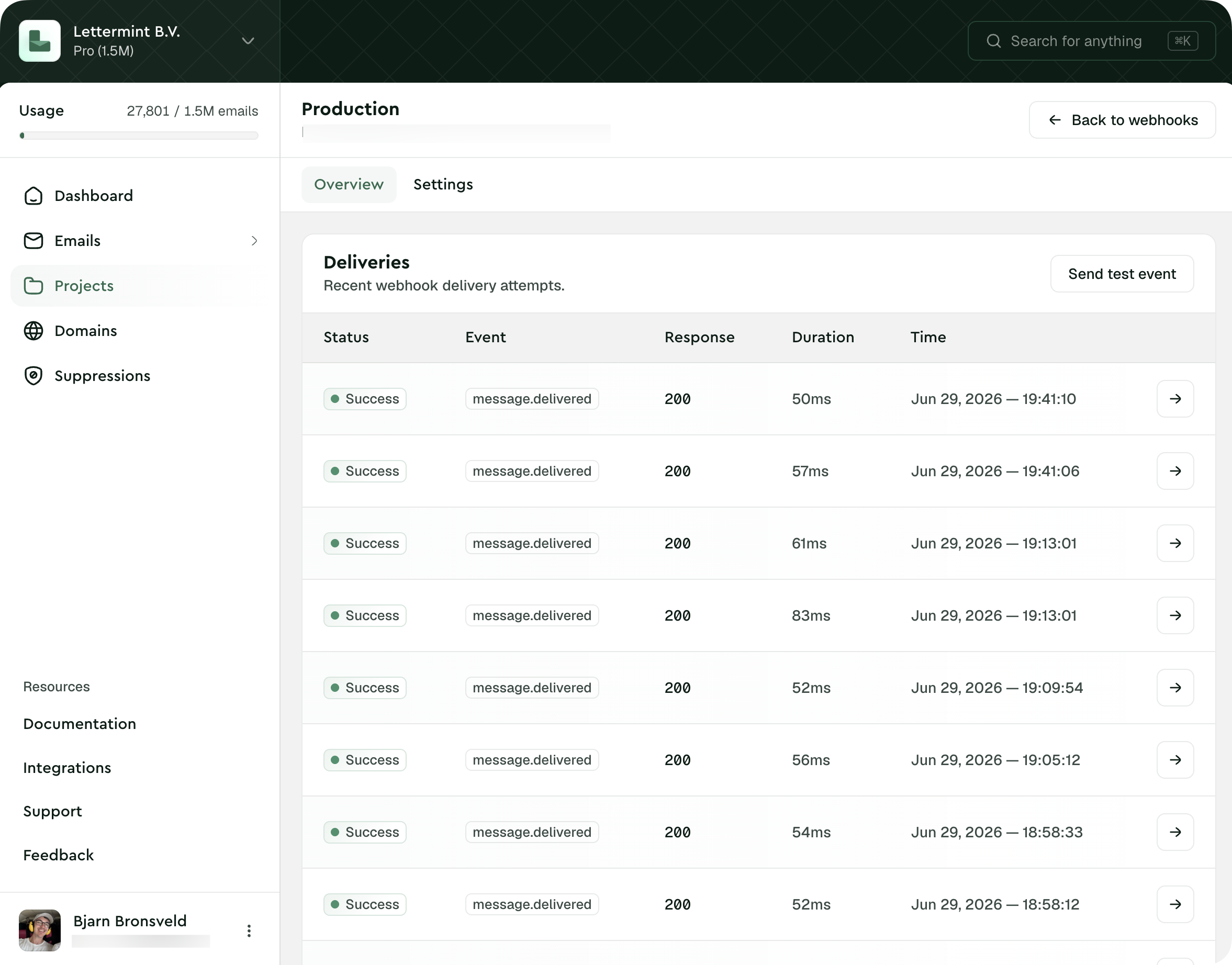
| Deliveries | Recent delivery attempts with status, response, and timing |
Create multiple webhooks when different systems need different event sets. Use one webhook with multiple targets when one system processes events from selected projects or routes.
Delivery and retries
We retry failed webhook deliveries with exponential backoff. A delivery fails if your endpoint returns a non-2xx status or times out (30 seconds).
Retry schedule (12 total attempts: 1 initial attempt + 11 automatic retries):
| Attempt | Delay after previous |
|---|---|
| 1 | Immediate |
| 2 | 1 minute |
| 3 | 2 minutes |
| 4 | 5 minutes |
| 5 | 10 minutes |
| 6 | 10 minutes |
| 7 | 15 minutes |
| 8 | 30 minutes |
| 9 | 1 hour |
| 10 | 2 hours |
| 11 | 4 hours |
| 12 | 6 hours |
This schedule spans roughly 14 hours from the initial delivery attempt to the final automatic retry.
After all retries are exhausted, the delivery is marked as failed. You can see all delivery attempts in the dashboard by clicking on your webhook.
Troubleshooting
Webhook is disabled
Problem: No events are being delivered
Solution: Check that the webhook's Enabled toggle is on. Disabled webhooks won't send any deliveries.
No deliveries appear
Problem: Expected events aren't showing up
Solutions:
- Use the Test Webhook button to verify your endpoint is reachable
- Confirm your endpoint returns a 2xx status code
- Check your server logs for incoming requests
- Verify that the webhook scope includes the route and that the webhook uses the correct events
Repeated retries
Problem: The same event keeps being retried
Solutions:
- Your endpoint must return 200-299 status quickly (within 30 seconds)
- Move heavy processing to a background job and return 200 immediately
- Implement idempotency using
event.idto handle duplicate deliveries gracefully
Connection refused or timeout
Problem: Deliveries fail with connection errors
Solutions:
- Ensure your endpoint is publicly accessible (not localhost)
- Check firewall rules allow incoming HTTPS connections
- Verify SSL/TLS certificate is valid and not expired
- For local development, use a tunnel like ngrok
Signature verification fails
Problem: All webhooks are rejected as invalid
Solution: See the troubleshooting section in Signed webhooks.
Next steps
- Signed webhooks: Verify webhook authenticity (required for production)
- Webhook events: See all available event types and their payloads