# Use Cases & Best Practices
This page demonstrates practical workflows and production best practices for using the Team API effectively.
## Common Use Cases
Here are brief examples of common workflows using the Team API.
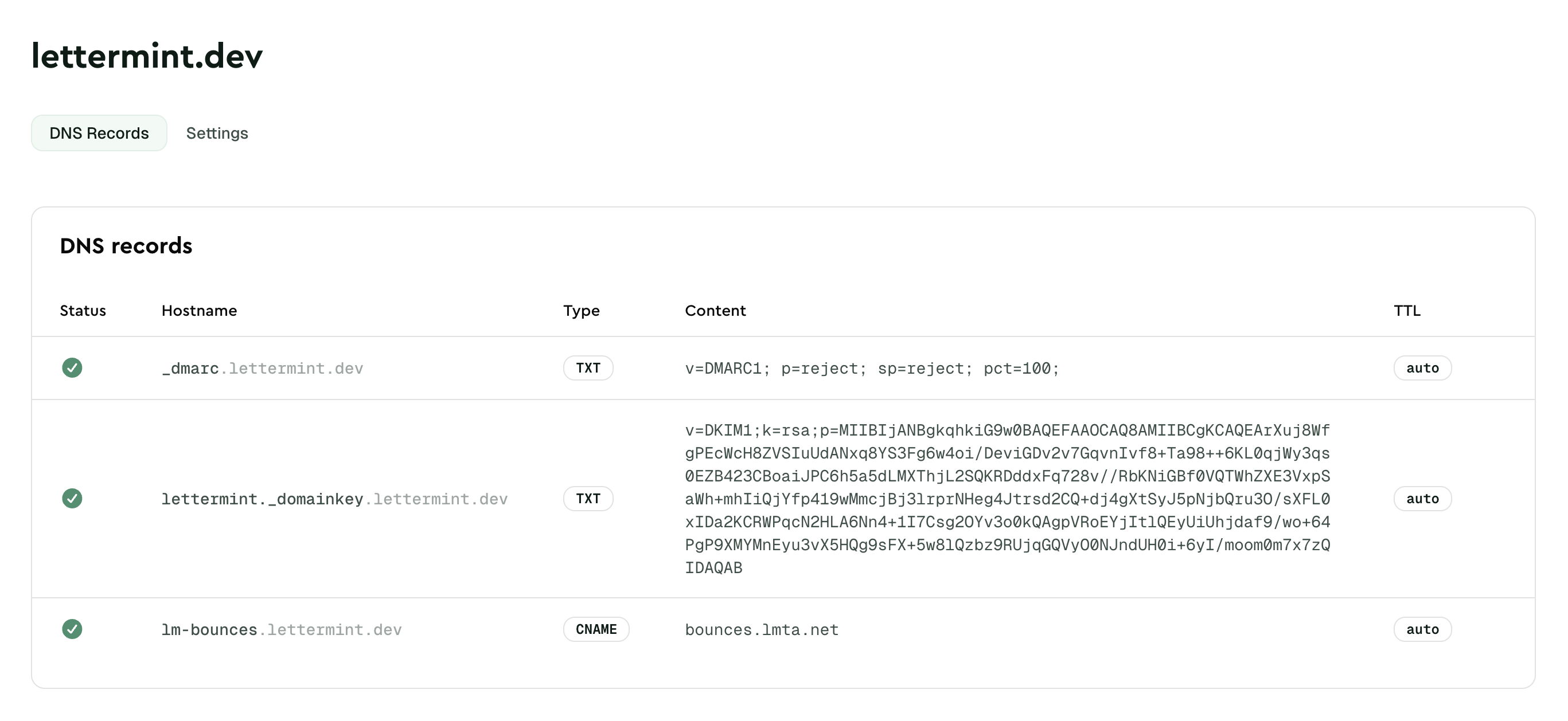
### Domain Management Workflow
Add a domain, verify DNS records, and attach it to a project:
```bash title="cURL"
# 1. Add domain
curl -X POST "https://api.lettermint.co/v1/domains" \
-H "Authorization: Bearer $LETTERMINT_TEAM_TOKEN" \
-H "Content-Type: application/json" \
-d '{"domain": "example.com"}'
# 2. Verify DNS records
curl -X POST "https://api.lettermint.co/v1/domains/{domainId}/dns-records/verify" \
-H "Authorization: Bearer $LETTERMINT_TEAM_TOKEN"
# 3. Attach to project
curl -X PUT "https://api.lettermint.co/v1/domains/{domainId}/projects" \
-H "Authorization: Bearer $LETTERMINT_TEAM_TOKEN" \
-H "Content-Type: application/json" \
-d '{"project_ids": ["projectId"]}'
```
```typescript title="Node.js"
import { Lettermint } from "lettermint";
const api = Lettermint.api(process.env.LETTERMINT_TEAM_TOKEN!);
// 1. Add domain
const domain = await api.domains.create({ domain: "example.com" });
// 2. Verify DNS records
await api.domains.verifyDnsRecords(domain.id);
// 3. Attach to project
await api.domains.updateProjects(domain.id, {
project_ids: ["projectId"],
});
```
```php title="PHP"
domains->create([
'domain' => 'example.com',
]);
// 2. Verify DNS records
$api->domains->verifyDnsRecords($domain->id);
// 3. Attach to project
$api->domains->updateProjects($domain->id, [
'project_ids' => ['projectId'],
]);
```
 ### Project and Route Setup
Create a project, add a route, and configure a webhook:
```bash title="cURL"
# 1. Create project
curl -X POST "https://api.lettermint.co/v1/projects" \
-H "Authorization: Bearer $LETTERMINT_TEAM_TOKEN" \
-H "Content-Type: application/json" \
-d '{"name": "Production"}'
# 2. Create route
curl -X POST "https://api.lettermint.co/v1/projects/{projectId}/routes" \
-H "Authorization: Bearer $LETTERMINT_TEAM_TOKEN" \
-H "Content-Type: application/json" \
-d '{"name": "Transactional", "route_type": "transactional"}'
# 3. Add webhook
curl -X POST "https://api.lettermint.co/v1/webhooks" \
-H "Authorization: Bearer $LETTERMINT_TEAM_TOKEN" \
-H "Content-Type: application/json" \
-d '{"route_id": "routeId", "name": "Production webhook", "url": "https://api.example.com/webhooks", "events": ["message.delivered", "message.hard_bounced"]}'
```
```typescript title="Node.js"
// 1. Create project
const project = await api.projects.create({
name: "Production",
});
// 2. Create route
const route = await api.projects.createRoute(project.data.id, {
name: "Transactional",
route_type: "transactional",
});
// 3. Add webhook
await api.webhooks.create({
route_id: route.data.id,
name: "Production webhook",
url: "https://api.example.com/webhooks",
events: ["message.delivered", "message.hard_bounced"],
});
```
```php title="PHP"
projects->create([
'name' => 'Production',
]);
// 2. Create route
$route = $api->projects->createRoute($project->data->id, [
'name' => 'Transactional',
'route_type' => 'transactional',
]);
// 3. Add webhook
$api->webhooks->create([
'route_id' => $route->data->id,
'name' => 'Production webhook',
'url' => 'https://api.example.com/webhooks',
'events' => ['message.delivered', 'message.hard_bounced'],
]);
```
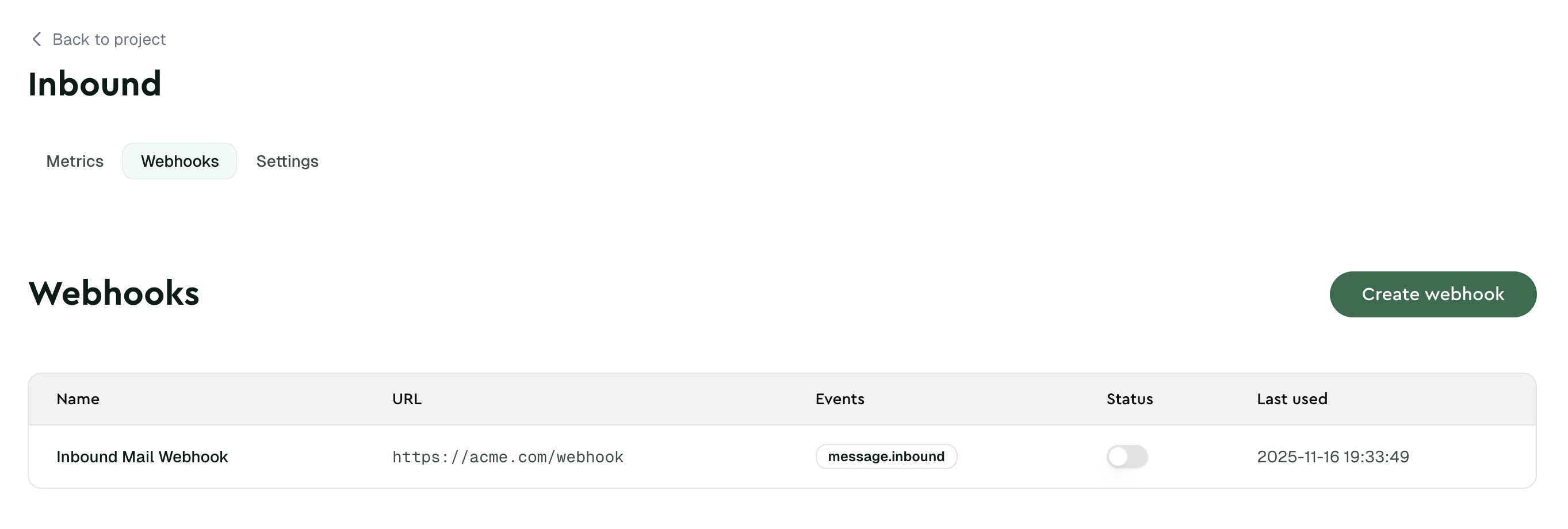
### Project and Route Setup
Create a project, add a route, and configure a webhook:
```bash title="cURL"
# 1. Create project
curl -X POST "https://api.lettermint.co/v1/projects" \
-H "Authorization: Bearer $LETTERMINT_TEAM_TOKEN" \
-H "Content-Type: application/json" \
-d '{"name": "Production"}'
# 2. Create route
curl -X POST "https://api.lettermint.co/v1/projects/{projectId}/routes" \
-H "Authorization: Bearer $LETTERMINT_TEAM_TOKEN" \
-H "Content-Type: application/json" \
-d '{"name": "Transactional", "route_type": "transactional"}'
# 3. Add webhook
curl -X POST "https://api.lettermint.co/v1/webhooks" \
-H "Authorization: Bearer $LETTERMINT_TEAM_TOKEN" \
-H "Content-Type: application/json" \
-d '{"route_id": "routeId", "name": "Production webhook", "url": "https://api.example.com/webhooks", "events": ["message.delivered", "message.hard_bounced"]}'
```
```typescript title="Node.js"
// 1. Create project
const project = await api.projects.create({
name: "Production",
});
// 2. Create route
const route = await api.projects.createRoute(project.data.id, {
name: "Transactional",
route_type: "transactional",
});
// 3. Add webhook
await api.webhooks.create({
route_id: route.data.id,
name: "Production webhook",
url: "https://api.example.com/webhooks",
events: ["message.delivered", "message.hard_bounced"],
});
```
```php title="PHP"
projects->create([
'name' => 'Production',
]);
// 2. Create route
$route = $api->projects->createRoute($project->data->id, [
'name' => 'Transactional',
'route_type' => 'transactional',
]);
// 3. Add webhook
$api->webhooks->create([
'route_id' => $route->data->id,
'name' => 'Production webhook',
'url' => 'https://api.example.com/webhooks',
'events' => ['message.delivered', 'message.hard_bounced'],
]);
```
 ### Message Monitoring
List messages with filters and retrieve detailed event history:
```bash title="cURL"
# List messages with filters
curl -X GET "https://api.lettermint.co/v1/messages?filter[status]=delivered&page[size]=50" \
-H "Authorization: Bearer $LETTERMINT_TEAM_TOKEN"
# Get message events
curl -X GET "https://api.lettermint.co/v1/messages/{messageId}/events" \
-H "Authorization: Bearer $LETTERMINT_TEAM_TOKEN"
```
```typescript title="Node.js"
// List messages
const messages = await api.messages.list({
"filter[status]": "delivered",
"page[size]": "50",
});
// Get events
const events = await api.messages.events(messageId);
```
```php title="PHP"
messages->list([
'filter[status]' => 'delivered',
'page[size]' => '50',
]);
// Get events
$events = $api->messages->events($messageId);
```
:::info
The Messages API is read-only. Use the Team API to monitor delivery, not to send emails (use Project tokens for sending).
:::
### Suppression Management
Add email addresses to the suppression list and remove them when needed:
```bash title="cURL"
# Add suppression
curl -X POST "https://api.lettermint.co/v1/suppressions" \
-H "Authorization: Bearer $LETTERMINT_TEAM_TOKEN" \
-H "Content-Type: application/json" \
-d '{"email": "bounce@example.com", "reason": "hard_bounce", "scope": "team"}'
# List suppressions
curl -X GET "https://api.lettermint.co/v1/suppressions?page[size]=50" \
-H "Authorization: Bearer $LETTERMINT_TEAM_TOKEN"
# Remove suppression
curl -X DELETE "https://api.lettermint.co/v1/suppressions/{suppressionId}" \
-H "Authorization: Bearer $LETTERMINT_TEAM_TOKEN"
```
```typescript title="Node.js"
// Add suppression
await api.suppressions.create({
email: "bounce@example.com",
reason: "hard_bounce",
scope: "team",
});
// List suppressions
const suppressions = await api.suppressions.list({
"page[size]": "50",
});
// Remove suppression
await api.suppressions.delete(suppressionId);
```
```php title="PHP"
suppressions->create([
'email' => 'bounce@example.com',
'reason' => 'hard_bounce',
'scope' => 'team',
]);
// List suppressions
$suppressions = $api->suppressions->list([
'page[size]' => '50',
]);
// Remove suppression
$api->suppressions->delete($suppressionId);
```
## Best Practices
### Security Recommendations
- **Store tokens securely**: Use environment variables or secrets managers (AWS Secrets Manager, HashiCorp Vault, etc.)
- **Grant minimal abilities**: Only assign the abilities each token needs to perform its function
- **Rotate tokens regularly**: Regenerate tokens periodically, especially for long-running integrations
- **Monitor token usage**: Check the "Last used" timestamp in the dashboard to identify inactive or compromised tokens
- **Delete unused tokens**: Remove tokens that are no longer needed
### Operational Recommendations
- **Implement error handling**: Always handle HTTP errors gracefully with exponential backoff for retries
- **Respect rate limits**: Track `X-RateLimit-Remaining` headers and implement request queuing if needed
- **Handle pagination**: Use cursor-based pagination for large result sets
- **Log request metadata**: Store request IDs and timestamps for debugging
- **Use descriptive names**: Name tokens and resources clearly to aid in debugging and auditing
:::warning
Team API tokens have broad access to your team resources. Treat them with the same care as passwords and never expose them in client-side code, public repositories, or logs.
:::
## API Reference
Explore the complete API documentation for detailed endpoint information:
View and update team settings, usage, and members
Manage verified sending domains and DNS records
Create and manage projects and routes
Configure webhook endpoints and delivery settings
Access message history and delivery events
Manage bounce and complaint suppression lists
## Next Steps
- **[API Tokens](/platform/teams/api-tokens)** - Create and manage tokens with the right abilities
- **[API Reference](/api-reference)** - Explore all available endpoints
- **[Webhooks](/platform/webhooks/introduction)** - Receive real-time delivery events
- **[Domain Verification](/platform/domains/introduction)** - Set up and verify sending domains
### Message Monitoring
List messages with filters and retrieve detailed event history:
```bash title="cURL"
# List messages with filters
curl -X GET "https://api.lettermint.co/v1/messages?filter[status]=delivered&page[size]=50" \
-H "Authorization: Bearer $LETTERMINT_TEAM_TOKEN"
# Get message events
curl -X GET "https://api.lettermint.co/v1/messages/{messageId}/events" \
-H "Authorization: Bearer $LETTERMINT_TEAM_TOKEN"
```
```typescript title="Node.js"
// List messages
const messages = await api.messages.list({
"filter[status]": "delivered",
"page[size]": "50",
});
// Get events
const events = await api.messages.events(messageId);
```
```php title="PHP"
messages->list([
'filter[status]' => 'delivered',
'page[size]' => '50',
]);
// Get events
$events = $api->messages->events($messageId);
```
:::info
The Messages API is read-only. Use the Team API to monitor delivery, not to send emails (use Project tokens for sending).
:::
### Suppression Management
Add email addresses to the suppression list and remove them when needed:
```bash title="cURL"
# Add suppression
curl -X POST "https://api.lettermint.co/v1/suppressions" \
-H "Authorization: Bearer $LETTERMINT_TEAM_TOKEN" \
-H "Content-Type: application/json" \
-d '{"email": "bounce@example.com", "reason": "hard_bounce", "scope": "team"}'
# List suppressions
curl -X GET "https://api.lettermint.co/v1/suppressions?page[size]=50" \
-H "Authorization: Bearer $LETTERMINT_TEAM_TOKEN"
# Remove suppression
curl -X DELETE "https://api.lettermint.co/v1/suppressions/{suppressionId}" \
-H "Authorization: Bearer $LETTERMINT_TEAM_TOKEN"
```
```typescript title="Node.js"
// Add suppression
await api.suppressions.create({
email: "bounce@example.com",
reason: "hard_bounce",
scope: "team",
});
// List suppressions
const suppressions = await api.suppressions.list({
"page[size]": "50",
});
// Remove suppression
await api.suppressions.delete(suppressionId);
```
```php title="PHP"
suppressions->create([
'email' => 'bounce@example.com',
'reason' => 'hard_bounce',
'scope' => 'team',
]);
// List suppressions
$suppressions = $api->suppressions->list([
'page[size]' => '50',
]);
// Remove suppression
$api->suppressions->delete($suppressionId);
```
## Best Practices
### Security Recommendations
- **Store tokens securely**: Use environment variables or secrets managers (AWS Secrets Manager, HashiCorp Vault, etc.)
- **Grant minimal abilities**: Only assign the abilities each token needs to perform its function
- **Rotate tokens regularly**: Regenerate tokens periodically, especially for long-running integrations
- **Monitor token usage**: Check the "Last used" timestamp in the dashboard to identify inactive or compromised tokens
- **Delete unused tokens**: Remove tokens that are no longer needed
### Operational Recommendations
- **Implement error handling**: Always handle HTTP errors gracefully with exponential backoff for retries
- **Respect rate limits**: Track `X-RateLimit-Remaining` headers and implement request queuing if needed
- **Handle pagination**: Use cursor-based pagination for large result sets
- **Log request metadata**: Store request IDs and timestamps for debugging
- **Use descriptive names**: Name tokens and resources clearly to aid in debugging and auditing
:::warning
Team API tokens have broad access to your team resources. Treat them with the same care as passwords and never expose them in client-side code, public repositories, or logs.
:::
## API Reference
Explore the complete API documentation for detailed endpoint information:
View and update team settings, usage, and members
Manage verified sending domains and DNS records
Create and manage projects and routes
Configure webhook endpoints and delivery settings
Access message history and delivery events
Manage bounce and complaint suppression lists
## Next Steps
- **[API Tokens](/platform/teams/api-tokens)** - Create and manage tokens with the right abilities
- **[API Reference](/api-reference)** - Explore all available endpoints
- **[Webhooks](/platform/webhooks/introduction)** - Receive real-time delivery events
- **[Domain Verification](/platform/domains/introduction)** - Set up and verify sending domains